How to Build Your HNW Prospect Contact List Fast (Without Hours of Manual Research)

Bhavya Barot
The biggest bottleneck in advisory business development isn't knowing what to say. It's building the list of the right people to say it to.
Manual prospect research — filtering LinkedIn search results, reviewing profiles one by one, tracking down contact information, and entering data into a CRM — can consume an entire day and produce a list of 30 to 50 prospects. Even with that effort, many of those contacts are incomplete: missing email addresses, outdated phone numbers, or no way to reach them outside of LinkedIn.
There's a faster way. Here's how to build a complete, enriched HNW prospect contact list in a fraction of the time.
Start With a Sharp ICP Filter
Every minute spent researching a prospect outside your ICP is a minute wasted. Before building any list, define the filter precisely:
- Minimum AUM signal: What professional role, firm size, or career stage correlates with your target asset level?
- Industry focus: Which sectors produce the wealth profiles you're targeting?
- Life stage signal: What events or transitions indicate advisory readiness right now?
- Geography: Where are you licensed to operate?
The tighter your filter, the higher the quality of the resulting list — and the less time you spend discarding low-fit contacts later.
Step 1: Generate the Raw List from LinkedIn
LinkedIn is the most comprehensive professional database available for identifying HNW prospects. Use it to generate your initial list.
With standard LinkedIn:
Use the People search with filters for job title, industry, location, and connection degree. Boolean search strings (e.g., `"CEO" OR "Founder" OR "Managing Partner"`) help surface multiple title variants simultaneously. Export relevant profiles manually into a spreadsheet or CRM.
With LinkedIn Sales Navigator:
Sales Navigator's advanced filters — years in role, company headcount and growth, function, seniority, and intent signals — allow you to generate a much more targeted raw list faster. Saved lead lists in Sales Navigator can be organized and segmented without cluttering your main LinkedIn network.
Sales Navigator also allows you to export lead lists directly to CRM integrations, eliminating the manual entry step entirely.
Step 2: Enrich Each Contact Automatically
A LinkedIn profile gives you a name, a title, and a company. That's often not enough to run a multi-channel outreach sequence.
To reach a HNW prospect across email, LinkedIn, and phone, you need:
- Verified work or personal email address
- Direct phone number (when appropriate)
- Current firm and role confirmed as accurate
- Any recent wealth or life stage signals not visible on the LinkedIn profile
Manual enrichment of each contact takes 5–15 minutes per person. For a list of 200 prospects, that's a full week of research before a single outreach message goes out.
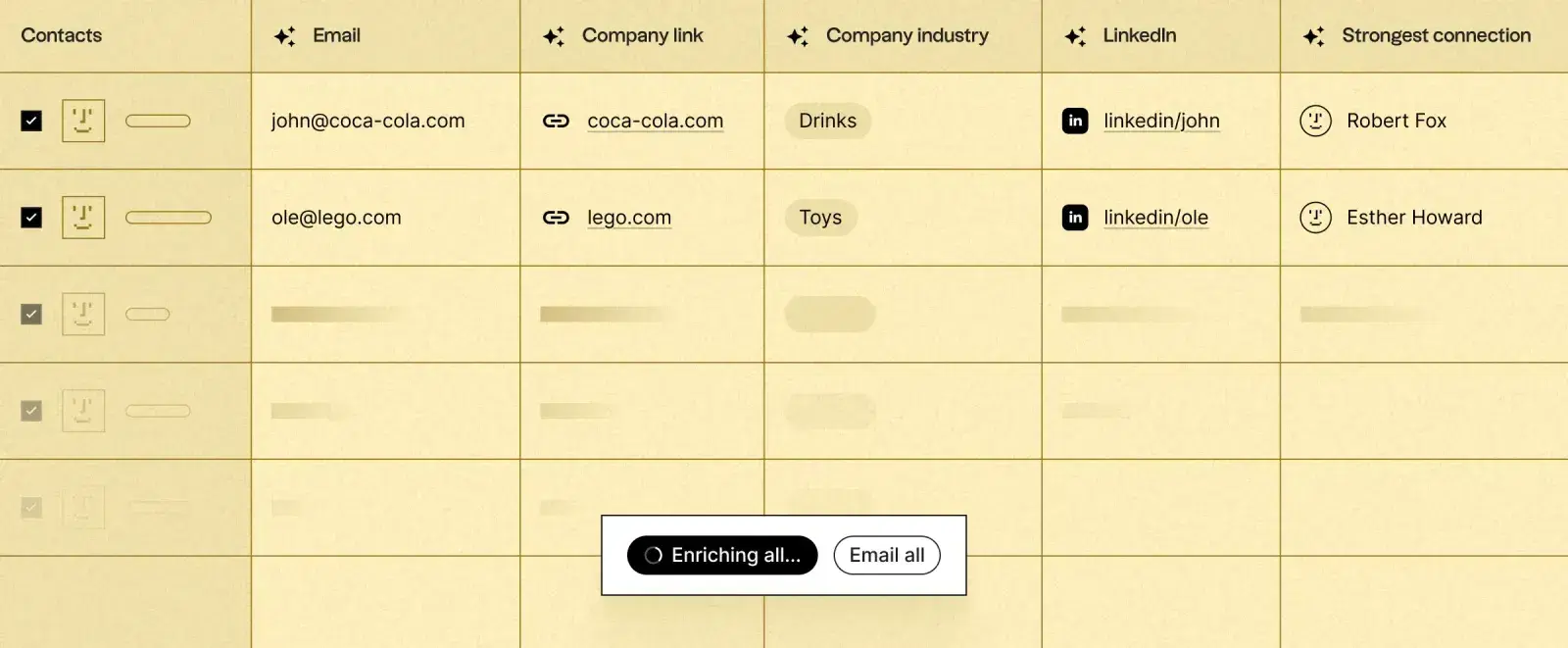
Enrichment tools aggregate data from multiple sources to fill in missing contact fields automatically. These tools cross-reference public records, professional databases, company websites, and other sources to produce complete, verified contact profiles without manual effort.
Popular enrichment data sources used in advisory prospecting:
- Apollo.io — large B2B contact database with verified email and phone
- Clay — aggregates 50+ enrichment sources to build the most complete profile available
- ZoomInfo — enterprise-grade professional data with strong coverage of senior executives
- Cognism — strong EMEA coverage with compliance-first data handling
Valora runs this enrichment automatically. When you import a list of LinkedIn profiles or build a prospect list within Spaces, Valora enriches each contact with verified email, additional wealth signals, recent professional changes, and behavioral intent data — producing a complete, outreach-ready contact record without any manual research.
Step 3: Score and Prioritize
Not every contact on the enriched list deserves equal priority. Apply a scoring layer based on:
- ICP fit (how closely does the profile match your ideal client definition?)
- Intent signals (have they shown recent engagement with advisory content, experienced a wealth event, or changed roles?)
- Contact completeness (do you have verified contact information to actually reach them?)
- Warm connection paths (are they a second-degree connection to an existing client or partner?)
Prospects who score highest on all four dimensions go to the front of the outreach queue. Lower-scoring contacts enter a slower nurture sequence or wait for a triggering event.
Step 4: Import Into Your Outreach Workflow
A prospect list sitting in a spreadsheet generates no pipeline. It needs to connect directly to your outreach system.
The most efficient path:
- LinkedIn search / Sales Navigator → Export to CSV or CRM integration
- Enrichment tool → Complete contact records with email, phone, and wealth signals
- CRM → Single record per prospect with all touchpoints logged
- Valora → Outreach sequences triggered automatically based on ICP score and intent signals
When these steps are connected — and in Spaces they are — a prospect identified on LinkedIn on Monday can be receiving a personalized, well-researched first outreach message by Tuesday morning, with no manual steps in between.
What a Good List Looks Like vs. a Fast List
The goal is not the largest list possible. The goal is the most qualified list possible.
A fast but poor list: 500 contacts, generic title filters, incomplete contact data, no scoring, many outside your true ICP. You'll spend more time qualifying and discarding than actually prospecting.
A smaller but high-quality list: 100 contacts, each precisely matching your ICP, with complete contact information, scored by intent, and prioritized by signal recency. Every outreach message goes to someone genuinely worth reaching.
Advisors who build high-quality lists and work them systematically consistently outperform those chasing volume. The difference isn't how many contacts are in the list. It's what percentage of them become real conversations.
See how Spaces builds and enriches HNW prospect lists for RIAs automatically.