The Ultimate Guide to Cold Email Tools (2026)

Bhavya Barot
Cold outreach email remains one of the most effective channels for generating qualified conversations — including for financial advisors and RIAs building pipelines of HNW prospects. According to a study by Backlinko, the average response rate for cold emails is 8.5%, higher than most other outreach channels.
But getting strong results from cold email requires the right tool — and choosing between the dozens of platforms available in 2026 is genuinely difficult.
This guide breaks down what cold email software actually does, what features matter, and how to evaluate the 20 best options on the market today — so you can find the right fit for your outreach goals.
What is a cold email tool?
A cold email tool is software that helps you send cold emails — but it does far more than just hit send.
Cold email software can automate your entire outreach process. It has the potential to find, fill, and store contact information, personalise emails, track engagement, and measure the success of your campaigns. It can also help you segment contacts to send more targeted messages.
Ultimately, cold email software tools are built to automate the email outreach process. Let's look at why you should invest in one.
Why invest in cold email tools?
Cold email software is a critical component of your outreach process. It helps with:
More efficient outreach process
The most obvious benefit is that it saves you time when searching for leads. Instead of manually searching for contacts, you can use a tool to quickly find the right people and build your contact list.
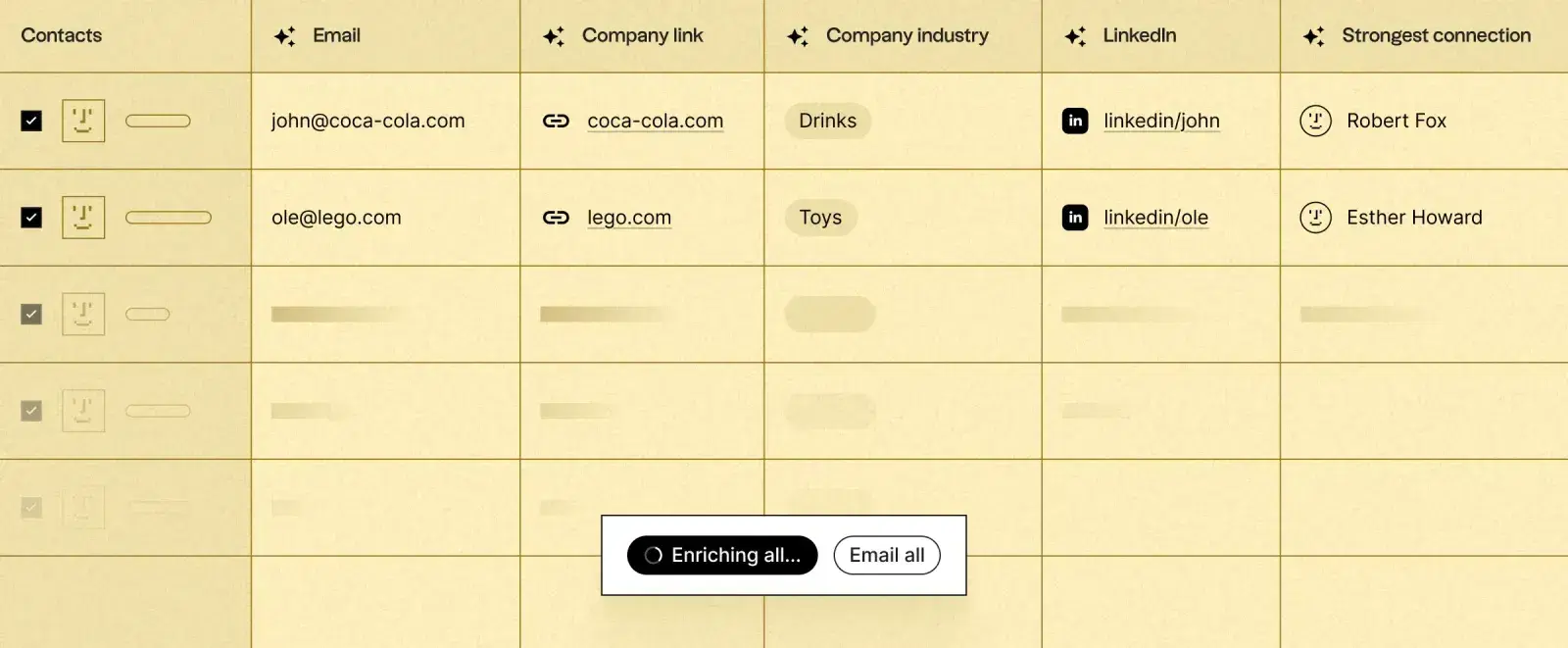
Good platforms automatically enrich your contact list with accurate, up-to-date information as soon as you add a contact to your lead list. So if you only have a prospect's LinkedIn account and want to reach out via email, the tool automatically searches for their email address and fills it in for you.
Improving deliverability and reputation
Since almost all reputable cold email programmes are designed to comply with anti-spam laws, you can trust that your emails won't be marked as spam and end up in the wrong inbox.
They typically use best practices such as:
- Using verified sending domains
- DKIM/SPF records
- Authenticated email servers and IP addresses
This way, you can keep an eye on your reputation score and optimise your emails to ensure they reach your prospects' inboxes.
Scaling your efforts
One of the great benefits of cold email software is that you can automate the entire outreach process — meaning you can scale campaigns to match the number of leads you want to reach.
Say you want to reach 100 prospects. Done manually, it takes at least a few days to find prospects, organise and segment them, write the copy, personalise each email, schedule sends, and organise meetings. With cold outreach software, you set up the entire process in a fraction of that time.
What features should you look for in cold email tools?
Personalisation
Personalisation is no longer optional — it's a must-have. When was the last time you opened an email that started with "Dear Sir or Madam"?
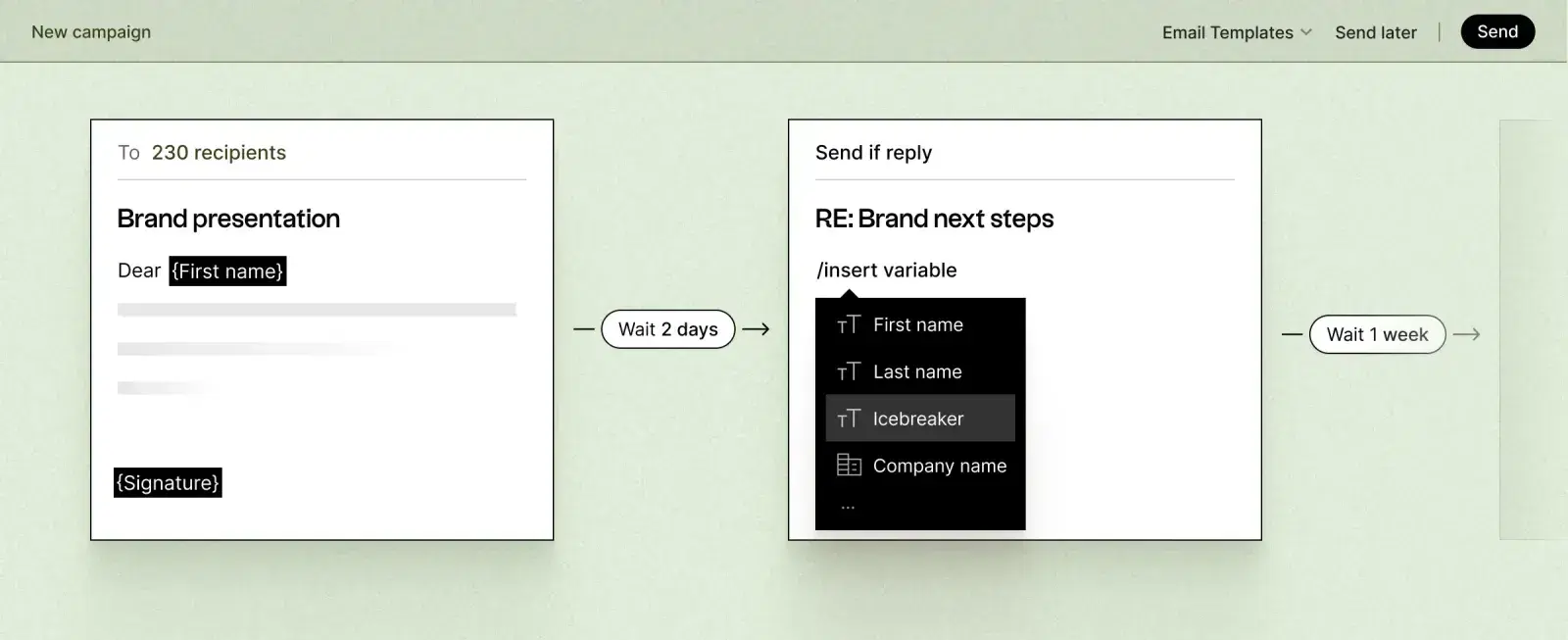
Cold email software should not only allow you to collect personal data from your prospects but also use it in your emails through variables like `{{FirstName}}` and `{{CompanyName}}`. This way, you can create human-like automations and make your cold emails appear less cold.
Automation
Cold email software should run on autopilot once you've completed setup. You should be able to create email sequences and define rules that trigger your messages based on actions taken by leads — for example, sending an automatic follow-up to leads who haven't responded to your first email.
Scheduling
Any reputable email software should have scheduling features that let you plan when and how often your emails are sent. Depending on your industry and what works best, you can choose which days and times to send.
You can also set limits on the number of sends per day — important for protecting your domain reputation, especially with new email accounts that need to be warmed up first.
Ease of use
You don't want to spend hours learning a new tool. The best cold email software features a user-friendly interface and provides helpful guides and tutorials to get you up and running quickly.
Integrations
Look for cold outreach software that integrates with your other tools. Native integrations with CRMs like HubSpot or Pipedrive keep your lead data synced automatically. If your CRM isn't natively supported, Zapier connections can bridge the gap with almost any platform.
Spaces: The Fully Managed Alternative to Cold Email Tools
Why build and manage a cold email programme yourself when you can have the entire process handled for you?
Spaces is a fully managed outreach and meeting booking service for independent financial advisors and RIAs who want a consistent pipeline of qualified conversations — without the operational overhead of running cold email campaigns in-house.
Here's what sets Spaces apart from standard cold email software:
Managed end-to-end. Prospect identification, list building, message writing, sending, follow-up, and meeting booking — all handled by our team. You receive confirmed meetings in your calendar, not just access to a tool.
Genuine personalisation at scale. Every message is researched and crafted to be relevant to the specific prospect's context. Not mail-merge personalisation — real contextual relevance.
Multi-channel by default. Email alone is one touchpoint. Spaces combines email and LinkedIn into a coordinated sequence, generating 3.5x more responses than single-channel outreach.
Qualified conversations only. We don't book meetings for the sake of metrics. Every conversation delivered comes with verified fit — the right profile, the right level of interest, and genuine openness to a conversation.
If you're spending time managing cold email tools instead of closing deals, Spaces is worth a conversation.
The 20 Best Cold Email Software Alternatives in 2026
If you'd prefer to run your own cold email programme, here's a breakdown of the best tools available today — features, pros, cons, and pricing.
QuickMail — Best all-around cold email software
QuickMail is a powerful cold email tool that lets you launch sales and marketing campaigns directly from your Gmail account.
Key features: Email list building · Powerful personalisation · Automatic follow-up templates · Email tracking and analytics · CRM integration · Team collaboration
Pros: Easy to set up and use · High email deliverability · Flexible campaign customisation · Excellent customer support
Cons: Limited to Gmail accounts · No multi-channel outreach
💰 Pricing: Free plan available. Paid plans start at $49/month for one user and one inbox.
Woodpecker — Best for email deliverability
Woodpecker integrates with Gmail and Outlook with a strong focus on deliverability and avoiding spam filters.
Key features: Automated follow-ups based on triggers · Open, click, and reply tracking · CRM integration · Automatic email throttling · Domain status check · Email warm-up · Human-like sending patterns
Pros: High email deliverability · Easy-to-use interface · Reliable customer support
Cons: No templates or copywriting assistance · No multi-channel outreach
💰 Pricing: No free plan. 7-day free trial. Paid plans start at $49/month per email slot.
Mailshake — Best for lead generation and optimisation
Mailshake helps you generate more leads and optimise your campaigns with strong A/B testing and lead capture features.
Key features: Email personalisation from templates or scratch · Automated follow-ups · Gmail, G Suite, or SMTP sending · A/B testing · Lead catcher · Email verification
Pros: User-friendly interface · Powerful lead capture features · Helpful coaching and support
Cons: No multi-channel outreach · Limited customisation options
💰 Pricing: Plans start at $58/user/month. No free trial.
Lemlist — Best for dynamic and visual emails
Lemlist stands out by letting you send personalised images, videos, and GIFs in cold emails — making them significantly harder to ignore.
Key features: Personalised images and videos · Dynamic landing pages · Video thumbnails · Email warm-up · Automated follow-ups
Pros: Unique and attention-grabbing emails · High engagement and response rates · Fun and easy-to-use interface
Cons: No multi-channel outreach · Limited customisation options
💰 Pricing: Starting at $59/month/user with a 14-day free trial.
Outreach — Best for sales leaders with large teams
Outreach is a comprehensive sales engagement platform designed for teams managing complex, high-volume outreach at scale.
Key features: Sales sequence creation · Sales engagement analytics · Sales coaching and feedback · Sales workflow automation · CRM integration
Pros: Powerful and scalable · Comprehensive analytics · Robust customer support
Cons: Expensive and complex pricing · Steep learning curve
💰 Pricing: Custom pricing. Contact for a quote.
Saleshandy — Best for simplicity and value
Saleshandy is a straightforward cold outreach solution ideal for small businesses and freelancers.
Key features: Email personalisation · Automated follow-ups · Gmail, Outlook, or SMTP sending · Email scheduling and verification · Document tracking
Pros: Simple and easy to use · Affordable pricing · Responsive customer support
Cons: No multi-channel outreach · Limited customisation
💰 Pricing: Starting at $34/month with a 7-day free trial.
Reply.io — Best for B2B prospecting on LinkedIn
Reply.io combines cold email with LinkedIn automation, making it a solid choice for outreach teams working across both channels.
Key features: LinkedIn email finder · LinkedIn automation · Email personalisation and deliverability tools · CRM integration
Pros: Powerful LinkedIn integration · High email deliverability · Comprehensive analytics
Cons: Expensive plans · Steep learning curve
💰 Pricing: Free plan available. Starter plans from $60/month per user.
Hunter — Best for building a contact database
Hunter specialises in finding and verifying prospect email addresses, with solid outreach features built in.
Key features: Domain and email search · Email verification and enrichment · Personalised cold email creation · Automated follow-ups
Pros: Easy to use and reliable · High deliverability · Generous free plan
Cons: No multi-channel outreach · Limited customisation
💰 Pricing: Free plan available. Paid plans from €49/month for unlimited team members.
RightInbox — Best Chrome extension for Gmail
RightInbox adds cold email capabilities directly into your Gmail inbox via a Chrome extension.
Key features: Email scheduling and reminders · Follow-up automation · Email signatures and notes · Open and click tracking
Pros: Easy to install and use · Affordable pricing · Reliable support
Cons: Limited to Gmail · No multi-channel outreach
💰 Pricing: Free plan available. Paid plans start at $7.95/month (billed annually).
FollowUp.cc — Best for simple follow-ups
FollowUp.cc keeps it simple — focused on making sure you never miss a follow-up again.
Key features: Email scheduling and reminders · Follow-up automation · Email snooze · Reports and analytics
Pros: Simple and easy to use · High email deliverability · Generous free plan
Cons: No multi-channel outreach · Limited customisation
💰 Pricing: $23/month with a free trial option.
Mailflow — Best for improving deliverability
Mailflow is purpose-built around one goal: ensuring your emails actually reach the inbox.
Key features: Automatic email throttling · Domain status check · Email warm-up · Human-like sending patterns
Pros: High email deliverability · Easy-to-use interface · Reliable customer service
Cons: No templates or copywriting assistance · No multi-channel outreach
💰 Pricing: Free plan available. Paid plans from $12/month.
GMass — Best for supercharging Gmail
GMass turns your Gmail inbox into a bulk email sending machine with powerful personalisation.
Key features: Bulk mail merge · Personalised follow-ups · Email scheduling and analytics · Email verification
Pros: Easy to install and use · Affordable pricing · Reliable support
Cons: Limited to Gmail · No multi-channel outreach
💰 Pricing: Starts at $19.95/month.
Snov.io — Best for finding and verifying emails
Snov.io combines email discovery, verification, and outreach in one platform.
Key features: Domain and email search · Email verification and enrichment · Personalised cold email sequences · Automated follow-ups
Pros: Easy to use and reliable · High deliverability · Generous free plan
Cons: No multi-channel outreach · Limited customisation
💰 Pricing: Free trial available. Paid plans from $39/month.
PersistIQ — Best for sales workflow automation
PersistIQ is designed for sales teams that want to automate their entire outreach workflow with precision.
Key features: Sales sequence creation · Sales engagement analytics · Sales workflow automation · CRM integration
Pros: Powerful and scalable platform · Comprehensive analytics · Robust support
Cons: Expensive plans · Steep learning curve
💰 Pricing: Essential plan starts at $75/month.
Yesware — Best for email tracking and analytics
Yesware embeds directly into Gmail and Outlook, giving you real-time visibility into how prospects engage with your emails.
Key features: Email tracking (opens, clicks, replies) · Reports and analytics · A/B testing · Email campaigns
Pros: Powerful and reliable tracking · Comprehensive insights · Easy-to-use interface
Cons: No multi-channel outreach · Limited customisation
💰 Pricing: Free plan forever. Paid plans from $15/seat/month.
Mixmax — Best for email productivity and engagement
Mixmax turns Gmail into a full sales engagement platform with scheduling, polls, surveys, and sequences.
Key features: Email scheduling and reminders · Email polls and surveys · Sequence automation · Open and click tracking
Pros: User-friendly interface · High engagement rates · Helpful support
Cons: Limited to Gmail · No multi-channel outreach
💰 Pricing: Free plan available. Paid plans from $34/month/user.
Klenty — Best for CRM integration
Klenty is built around deep CRM synchronisation, ideal for teams that live in their CRM.
Key features: Deep CRM integration and sync · Personalised cold email sequences · Automated follow-ups · Reports and analytics
Pros: Seamless CRM integration · Comprehensive insights · Reliable support
Cons: No multi-channel outreach · Limited customisation
💰 Pricing: 14-day free trial. Paid plans from $60/user/month (quarterly).
Autoklose — Best for data-driven campaigns
Autoklose combines a built-in B2B lead database with email automation, so you can prospect and reach out from a single platform.
Key features: Access to a verified B2B lead database · Email personalisation and automation · Automated follow-ups · CRM integration
Pros: Powerful lead database · High deliverability · Comprehensive analytics
Cons: Expensive plans · Steep learning curve
💰 Pricing: $59.99/user/month with a 14-day free trial.
Overloop — Best for cold email and drip campaigns
Overloop (formerly Prospect.io) helps you find prospect emails on LinkedIn or any website, then run coordinated email and drip campaigns.
Key features: Email finder from LinkedIn and websites · Email verification and personalisation · Automated drip campaigns · CRM integration
Pros: Easy to use · High deliverability · Generous free plan
Cons: No multi-channel outreach · Limited customisation · Higher price point than competitors
💰 Pricing: 14-day free trial. Plans from $99/month/user.
Klaviyo — Best for e-commerce email marketing
Klaviyo is purpose-built for e-commerce with deep integration into platforms like Shopify.
Key features: Audience segmentation by behaviour and preferences · Personalised email automation · E-commerce platform integration · Advanced analytics
Pros: Powerful e-commerce platform · High engagement rates · Robust support
Cons: Expensive plans · Steep learning curve
💰 Pricing: Free plan available. Paid plans from $45/month based on contact count.
Final Thoughts
Whether you're a financial advisor, an RIA building a pipeline, or starting your first prospecting programme, there's a cold email tool for your use case and budget.
Consider your specific needs — volume, personalisation depth, CRM requirements, and whether multi-channel matters to your strategy — and choose accordingly. Stick to the best practices in this guide to maximise your results.
And if you'd rather skip the tool selection, setup, and ongoing management entirely, Spaces handles the whole outreach process for you — from prospect identification to confirmed meetings in your calendar.
Happy cold emailing.