How to Turn Every CRM Lead into a Booked Discovery Call Automatically

Bhavya Barot
Most advisory firms have a CRM full of leads that were never properly followed up.
Someone attended a webinar and expressed interest. A referral came in while the advisor was traveling. An inbound inquiry hit the queue during a busy period. A LinkedIn connection asked a question and the thread went quiet. All of these entered the CRM. Most never became discovery calls.
The problem isn't that leads are low quality. It's that the process from "lead enters CRM" to "discovery call booked" relies on manual attention from an advisor who already has a full plate. Leads that require human initiative to advance will always be deprioritized against active client work. The gap is structural, not motivational.
Automating the path from CRM entry to booked call closes that gap permanently.
Why Leads Go Cold in Advisory CRMs
Speed-to-Response
Research consistently shows that responding to an inquiry within the first five minutes is dramatically more effective than responding the same day. By the next business day, the conversion rate has declined sharply.
Most advisory firms respond to inbound inquiries in hours. Many respond in days. A meaningful percentage never respond at all — the lead sits in the CRM waiting for someone to take action that never comes.
Insufficient Follow-Up Sequences
A single follow-up message is not a follow-up strategy. HNW prospects who don't respond to an initial outreach often need 5–8 additional touchpoints before they're ready to commit to a first meeting. Without an automated sequence, the first non-response typically ends the conversation.
No Prioritization System
Not all leads in your CRM deserve the same urgency. A prospect who filled out a contact form at 9am today is more valuable than one who signed up for a newsletter six months ago. Without a scoring and prioritization layer, advisors work through leads sequentially, not strategically — burning time on low-priority entries while high-intent prospects wait.
Building an Automated Lead-to-Meeting Flow
Step 1: Define Lead Sources and Entry Points
Map every place a lead can enter your CRM:
- Contact form submissions on your website
- LinkedIn inquiries and connection requests that indicate interest
- Webinar or event registrations
- Referral introductions from existing clients or partners
- Inbound email inquiries
- Conference or event business cards / follow-ups
Each source has different intent levels and requires a slightly different first response. Build your automation with source-specific messaging rather than a single generic sequence.
Step 2: Score and Segment on Entry
When a lead enters the CRM, assign an initial score based on available information:
- Source quality (direct referral vs. content download)
- Profile fit (asset level, professional profile, geography)
- Engagement signals (what specifically triggered their inquiry)
This score determines the priority and urgency of the follow-up sequence. High-score leads get immediate outreach. Lower-score leads enter a slower nurture sequence.
Step 3: Trigger Immediate First Response
Within minutes of a lead entering your CRM, an automated first response should go out. This is not a generic autoresponder — it's a personalized acknowledgment that references the specific context of their inquiry and sets a clear expectation for next steps.
For a contact form submission: reference what they asked about and propose a specific time to connect.
For a LinkedIn inquiry: respond on the same platform they used, in the same conversational tone.
For a referral introduction: acknowledge the introduction, reference the referring party, and immediately propose a brief call.
Speed here is the single most important factor in whether the lead converts to a meeting.
Step 4: Run a Multi-Touch Follow-Up Sequence
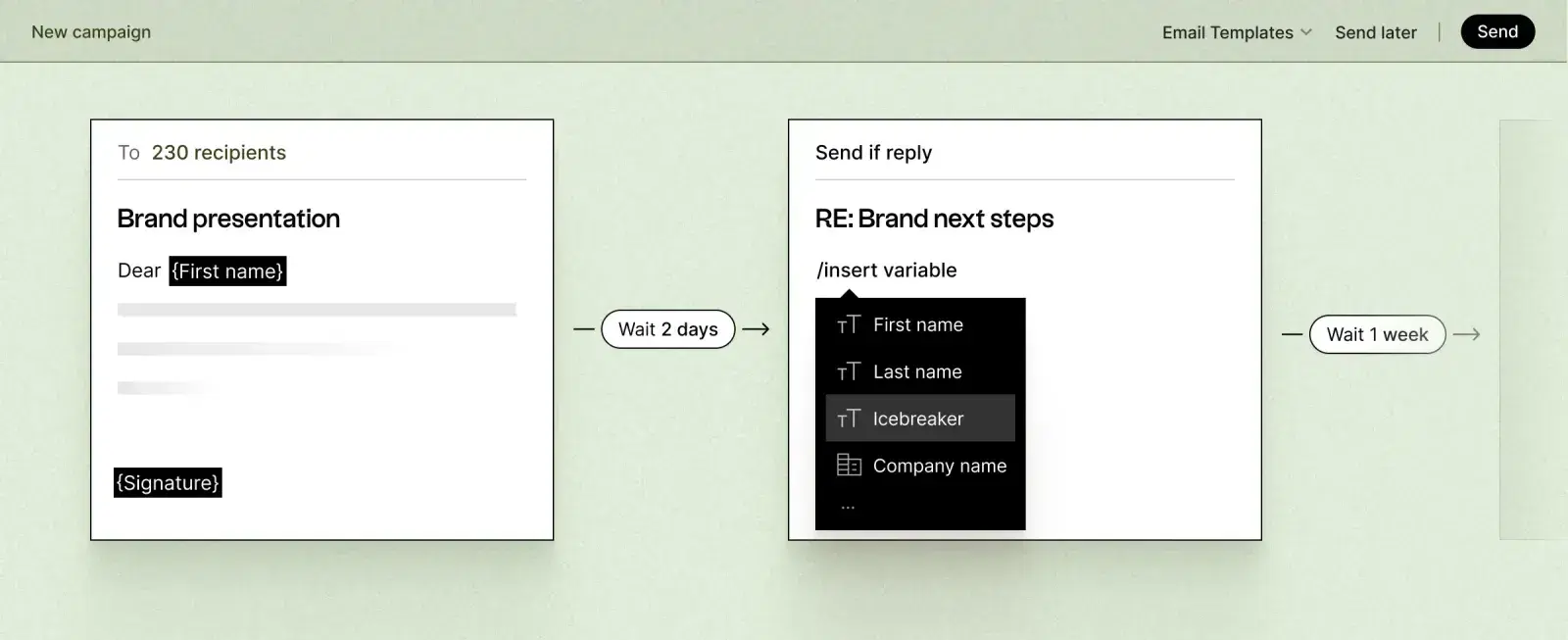
If the first response doesn't immediately generate a booked call, an automated follow-up sequence ensures the lead doesn't go cold. A standard sequence for a warm inbound advisory lead:
- Day 1: Immediate personalized first response
- Day 3: Follow-up that adds a piece of relevant value (relevant insight, resource, or question)
- Day 7: Second follow-up that acknowledges the prior messages briefly and re-proposes a meeting
- Day 14: A "closing the loop" message that gives the prospect a natural exit but leaves the door open
- Day 30: Re-engagement message if no response, triggered by any new signal activity
Each message should feel like it comes from a thoughtful advisor, not a drip campaign. Personalization based on the original lead context is what separates sequences that generate meetings from sequences that generate unsubscribes.
Step 5: Book the Meeting Automatically
When a lead responds positively, the meeting booking step should happen without requiring the advisor to manually coordinate schedules. An integrated calendar link in every message allows the prospect to self-schedule directly into the advisor's calendar.
For the highest-priority leads, Valora handles the scheduling exchange conversationally — responding to meeting requests, proposing times, confirming details, and adding the event to the CRM — so advisors walk in to discovery calls rather than coordinating logistics.
What Changes When You Automate This
No lead goes uncontacted. Every entry into your CRM triggers an immediate, personalized response. The advisor's bandwidth is no longer the limiting factor for first response time.
Follow-up happens at scale. A sequence that would require manual effort to maintain for 50 concurrent leads runs automatically for 500 with no additional advisor time.
Advisors only handle warm conversations. By the time a lead reaches an advisor's active attention, they've already responded positively to at least one automated touchpoint. Advisors spend time on conversations, not outreach logistics.
Pipeline becomes predictable. When every lead follows the same systematic path from entry to meeting, you can track exactly where prospects are converting or dropping off, and optimize the process over time.
Integrating With LinkedIn Prospecting
Many of the best leads in an advisory CRM originate from LinkedIn — a connection who asked a question, a prospect who responded to a post, an intro from a mutual connection. The automation described above applies equally to LinkedIn-sourced leads once they move into your CRM or outreach system.
Valora connects LinkedIn prospecting directly to the lead-to-meeting workflow: when a LinkedIn prospect engages or responds, the conversation is tracked, the follow-up is managed, and the meeting booking is handled — all without manual intervention between "LinkedIn response received" and "discovery call confirmed."
See how Spaces turns CRM leads into booked advisory meetings automatically.